
Product Overview
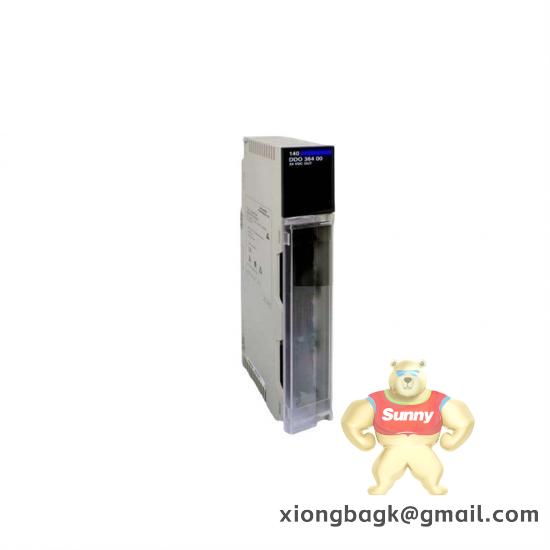
The OptiMate Operator is a versatile human-machine interface (HMI) device designed for industrial automation environments. As part of OPTIMATION’s comprehensive industrial control portfolio, this panel-mounted operator interface serves as a critical touchpoint between engineers and complex automation systems. Typical installations include control cabinets in manufacturing facilities, water treatment plants, and power generation substations where operators require immediate access to system status and control functions.
The OptiMate Operator stands out for its intuitive user interface, which reduces training time and operational errors. For instance, in a municipal water pump station, technicians replaced legacy control panels with the OptiMate Operator to recover 24/7 monitoring capabilities within a single day. Its compatibility with various industrial protocols makes it an ideal retrofit solution for both greenfield and brownfield projects.
This operator interface excels in applications requiring clear visualization of process data, alarm management, and straightforward control commands. The OptiMate Operator bridges the gap between complex automation systems and human operators, ensuring efficient system management and quick response to process changes.
Technical Specifications
| Parameter | Value |
|---|---|
| Product Model | OptiMate Operator |
| Manufacturer | OPTIMATION |
| Product Type | Industrial HMI Operator Panel |
| Power | 8-30 VDC |
| Communication / Protocol | Modbus RTU / Modbus TCP, Ethernet/IP, PROFINET |
| Operating Temperature | -20°C to +60°C |
| Mounting | Panel-mounted (IP65 front) |
| Protection / Ingress | IP65 front, IP20 rear |
| Dimensions (HxWxD) | 190 x 150 x 75 mm |
| Weight | 1.2 kg |
| Typical Interfaces | USB, Ethernet, 4x digital inputs, 2x relay outputs |
| Compliance | CE, RoHS, UL Certification |
Key Features and Benefits
The OptiMate Operator delivers exceptional performance through its high-resolution color display and responsive touch interface. Engineers appreciate the reduced nuisance trips thanks to its robust electrical noise immunity, a critical advantage in harsh industrial environments. The device’s diagnostic capabilities provide real-time system health monitoring, enabling proactive maintenance rather than reactive repairs.
Integration with common DCS/PLC architectures, including ABB I/O modules and ABB AC 800M systems, is straightforward, requiring minimal configuration. This compatibility significantly reduces implementation time compared to proprietary solutions.
The OptiMate Operator features modular design elements that simplify expansion as automation needs evolve. Its build quality ensures long-term reliability, with components rated for continuous operation in demanding conditions. The lifecycle cost benefits become apparent through reduced maintenance overhead and extended service life.
For procurement engineers, the OptiMate Operator represents a balanced investment, combining advanced functionality with competitive pricing. The device’s ability to aggregate data from multiple subsystems creates a unified operational view, enhancing decision-making efficiency across industrial facilities.
Application Scenarios
In power generation facilities, the OptiMate Operator serves as the primary interface for turbine control systems, providing real-time monitoring of critical parameters and enabling quick adjustments to maintain optimal performance. At an oil refinery, engineers deployed the OptiMate Operator to replace outdated panel meters, resulting in a 30% reduction in response time to process upsets.
For water treatment plants, the OptiMate Operator offers a cost-effective solution for monitoring pump status, chemical dosing, and flow rates. The device’s intuitive alarms help operators address issues before they impact water quality or system efficiency.
In mining operations, the OptiMate Operator is mounted in control rooms to oversee conveyor systems and material handling equipment. Its rugged design withstands the challenging environmental conditions typical of mining sites.
Manufacturing facilities leverage the OptiMate Operator for machine tool control and production line monitoring. The device’s ability to display both historical trends and real-time data helps identify bottlenecks and improve overall equipment effectiveness.
HVAC systems benefit from the OptiMate Operator through simplified temperature control and equipment scheduling. The interface reduces energy consumption by enabling precise adjustments based on occupancy and environmental conditions.
Related Models
-
OptiMate Basic – Entry-level HMI with monochrome display (previous generation)
-
OptiMate Pro – Expanded memory and advanced scripting capabilities (higher-end variant)
-
OptiMate Touch – IP67-rated touchscreen for harsh environments (rugged option)
-
OptiMate Net – Enhanced network connectivity with OPC UA support (Ethernet variant)
-
OptiMate Log – Integrated data logging functionality (companion module)
-
OptiMate Secure – Advanced cybersecurity features for critical infrastructure (security-enhanced model)
Installation and Maintenance
When installing the OptiMate Operator, ensure a minimum clearance of 10 cm around the device for proper ventilation and heat dissipation. Grounding should follow industrial standards to minimize electrical noise interference. The panel-mounted design requires a standard 19-inch control cabinet cutout, with secure mounting using the provided hardware.
For maintenance, perform quarterly checks of the display brightness and touch responsiveness. Use the built-in diagnostic tools to monitor communication status and interface health. OPTIMATION recommends backing up configuration files annually and updating firmware during scheduled downtime. The event log provides valuable data for preventive maintenance planning, helping identify potential issues before they cause operational disruptions.
Product Warranty
The OptiMate Operator comes with a one-year warranty and free replacement service provided by Xiamen Xiongba E-commerce Co., Ltd. Branch. Customers can initiate warranty claims by contacting our support team with the product serial number and a brief description of the issue. We offer pre-shipment testing, datasheet verification, and complete serial-number traceability to ensure product integrity throughout the supply chain.


Leave a comment
Your email address will not be published. Required fields are marked *